
First of all why we need to Add an Add-on Domain? If we wish to host another website with the present hosting package, we must add a domain as an Add-on.
This tutorial will guide you step by step on how to use and set up an Add-on domain. An Add-on domain is a separate domain from the main account which gives you option to host multiple accounts under the same hosting plan. This tutorial assumes that you are logged into your cPanel. If you are having trouble doing that, please see the tutorial named "How to Login to cPanel".
Scroll down to the Domains section and click on the Addon Domains link. This takes you to the Add-on screen. In the first box enter the new domain name. In the next box, the one named Subdomain/FTP Username enter the directory name in your main account where this new domain will be pointing. Enter a password, and then re-enter it. Click the Add Domain button.
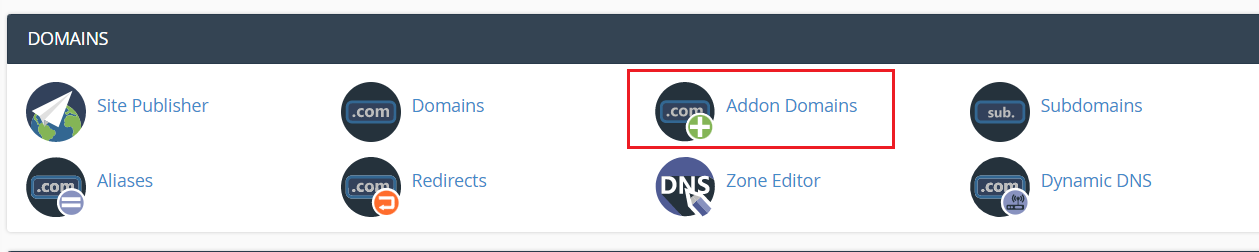
This will take you to the verifies screen which will confirm that your new add-on domain has been created.
For example: your domain is mydomain.com, and you make an add-on called testdomain.com. The web site files should be uploaded to the mydomain.com/testdomain directory.
An FTP Account has been created for this add-on domain. Click the Go Back link. Click the Home Icon in the upper left hand corner. Scroll down. Click the FTP Accounts Icon in the Files section. Scroll down the page, and in the Account Management section you will find your new add-on domain listed.
To remove an add-on domain, in the modify Addon Domain section find the Remove button. Click the button, and it will take you to a confirmation screen. Click Yes, and the domain has been removed, as well as the FTP account created for it. Click HOME and return to the main page of your cPanel.
This is the end of the tutorial. You now know how to setup and remove add-on domains in your account.
You can now exit cPanel by closing your browser, or by using the Logout button in the upper right corner. Remember, if you are using a public computer, Always make practice to Logout from cPanel before closing due to security reasons.
